Feedburner Metrics – API

Share on facebook
Share on twitter
Share on linkedin
Share on reddit
Share on email

In the same way we define the Twitter Dashboard widgets or the Facebook Dashboard Widgets

we can define the metrics for Feedburner.


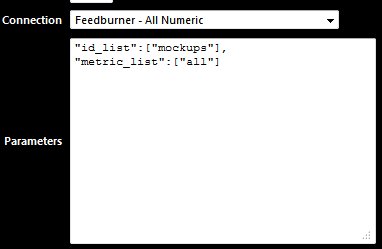
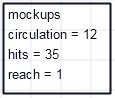
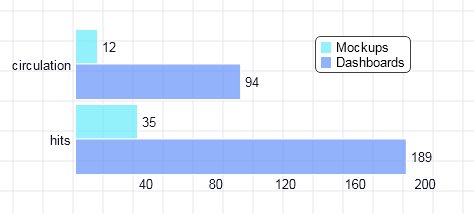
The Parameters would be as follows The metric list is [“circulation”,”hits”,”reach”] or you can select Feedburner All metrics
Image


"id_list":["mockups"],
"metric_list":["all"]
Image


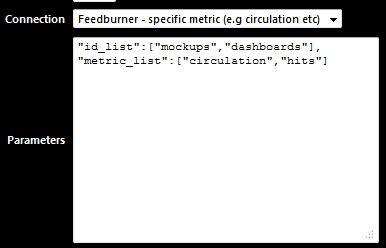
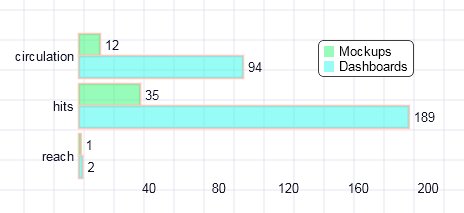
"id_list":["mockups","dashboards"],
"metric_list":["all"]
Image


"id_list":["mockups","dashboards"],
"metric_list":["circulation","hits"]
 

Image


Image

The Core Tools

Spending Too much time on YouTube

InfoCaptor AI turns long videos into bite-sized summaries, searchable tags, organized dashboards and stunning Knowledge Graphs — learn more in less time
SALE
The ability to filter and share by tag or topic is 🔥. I’ve never seen a YouTube tool that helps with knowledge sharing like this.
- Will Zhang
Love how the summary is broken down by sections. I jump right to the part I care about instead of skimming a full transcript.
- David Lin