How to link multiple dashboards for easy navigation

Share on facebook
Share on twitter
Share on linkedin
Share on reddit
Share on email

This article will demonstrate how to link up multiple dashboards through a button or link bar.

If you have multiple dashboard pages and you need to provide a landing page that connects all the pages then this is a quick way to organize them all together

  1. Drag the HTML widget
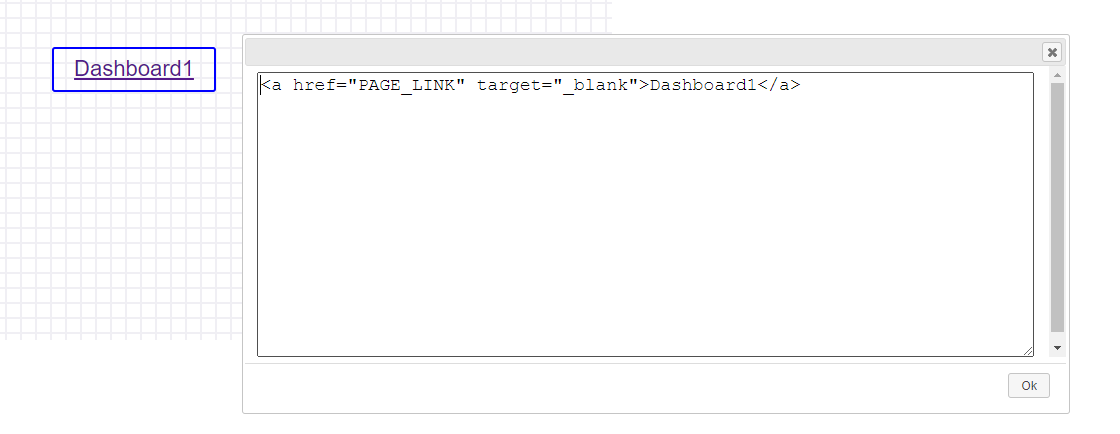
2. Double click the HTML widget and paste the below template code

3. Code

<a href="PAGE_LINK" target="_blank">Dashboard1</a>

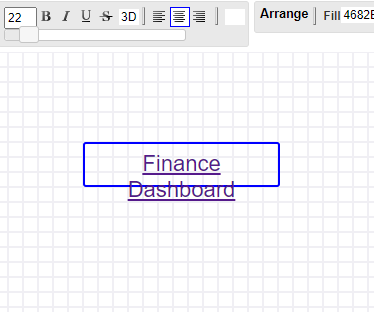
4. Replace the Link and the Text

<a href="https://my.infocaptor.com/dash/mt.php?pa=finance-dash-6faf3e243ddxyz" target="_blank">Finance Dashboard</a>

5. Click OK and the link is active now

5. Drag the blue border and adjust the font size as needed

6. Add more links and arrange them horizontally or vertically
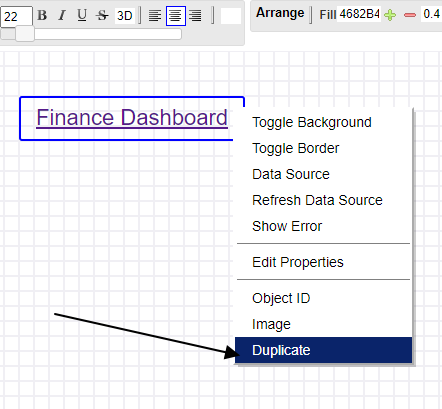
7. Duplicate the link and then edit and repeat the process

The Core Tools

Spending Too much time on YouTube

InfoCaptor AI turns long videos into bite-sized summaries, searchable tags, organized dashboards and stunning Knowledge Graphs — learn more in less time
SALE
The ability to filter and share by tag or topic is 🔥. I’ve never seen a YouTube tool that helps with knowledge sharing like this.
- Will Zhang
Love how the summary is broken down by sections. I jump right to the part I care about instead of skimming a full transcript.
- David Lin