
By default SQL server 2008 is not enabled for remote connection
First you need to enable SQL server for remote connection to avoid the “SQL server connection refused: connect” error.
Assuming your SQLserver is enabled for windows authentication and remote connection we can proceed as below.
1. Install Tomcat as service under the desired login account.
Run the service.bat file as below
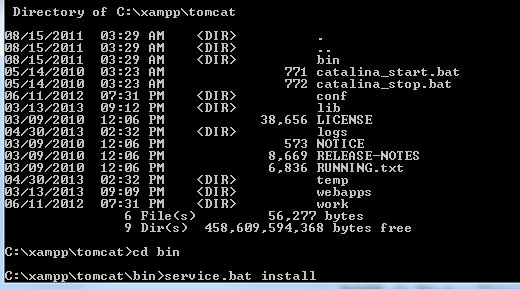
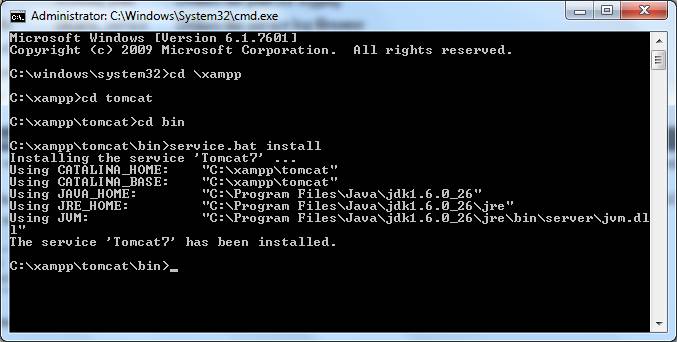
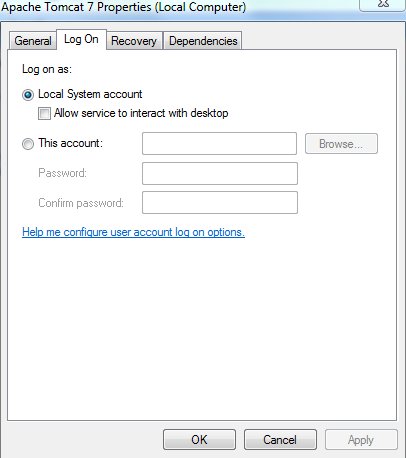
2. Once installed, go to services and add the login account
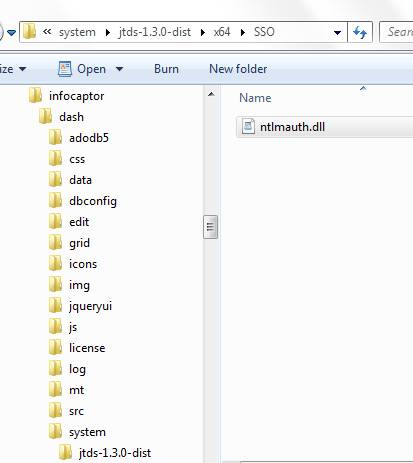
3. Copy the ntlmauth.dll file to any directory that is in the system path. We can put it in the windows/system32 directory
This is needed for windows SSO authentication.
You can go to the infocaptor/dash/system/jtds../x64/sso directory. Choose the appropriate file based on your operating system. (e.g x86 for 32 bit and x64 for 64bit)
4. Create connection within infocaptor
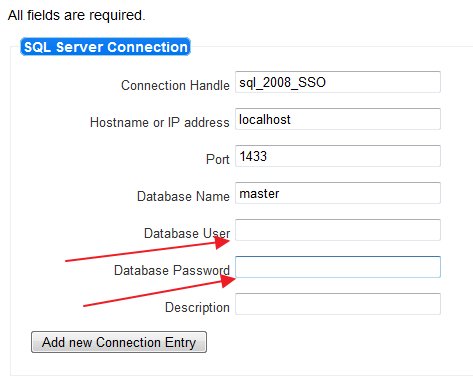
When you define a new connection to use as single signon windows authentication, leave the database user and password blank (empty)
5. Test the connection
Now, go to infocaptor, drag a grid , right click and select data source.
Next, pick the sql_2008_sso connection and click “show tables” in the SQL tab
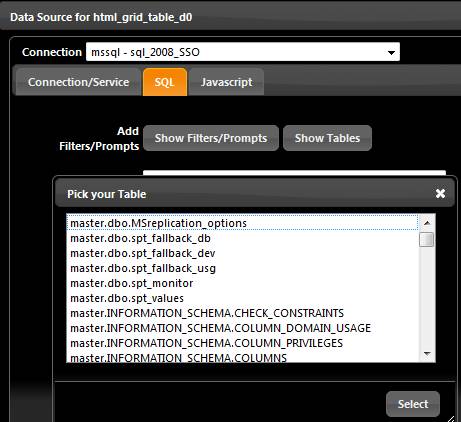
Success!. The list of tables indicate that infocaptor connected to SQLserver using windows authentication.
Background: InfoCaptor connects to sqlserver via tomcat and tomcat passes the windows credentials to sql server. Make sure you create a windows service account if you decide to use this in any production environment.